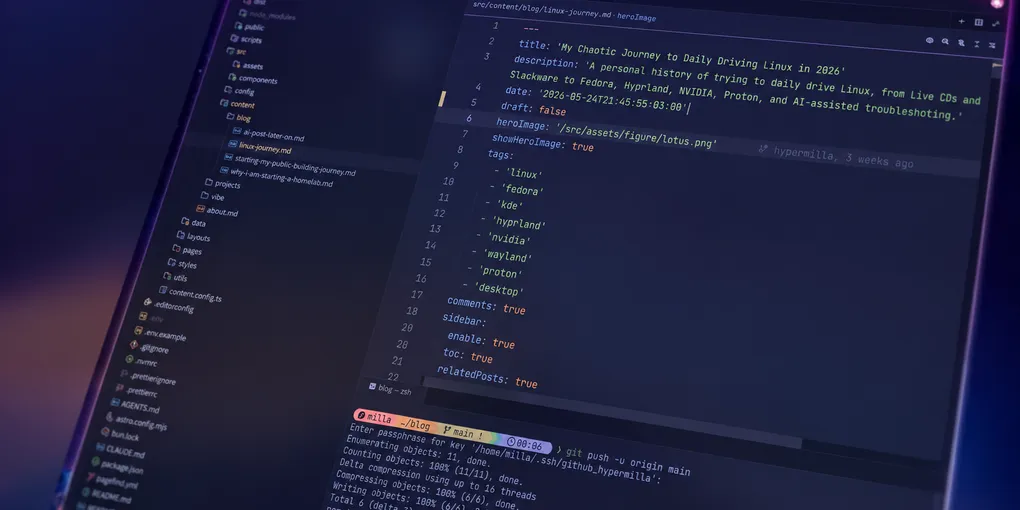
A few months ago I was finally able to truly daily drive a Linux desktop for the first time. I have been familiar with Linux for years, and used it on and off for various things, but this was the first time it became my real everyday desktop.
I have been stuck with Windows for years because of my work, and I got tired of it over and over again. Using Linux makes me so happy to use my desktop again: I can customize it the way I want, I own the software I am using, and I just have fun with my computer, like I did when I was a kid.
The Setup I Wanted Linux to Handle
Before we go on, my current setup:
- Desktop with two LG 4K 60 Hz HDR10 27” monitors
- AMD Ryzen 7 5800X
- RTX 3070 8GB
- 32 GB RAM
- Fedora 44 with KDE Plasma Desktop
- Hyprland
- Wacom/Huion drawing tablets
The setup matters because, over the years, some of those things kept me from daily driving Linux. The fact that I needed drawing tablets already made it hard, not only because of the drivers, but also because of the software I was using. It was also not trivial to handle NVIDIA drivers, 4K monitors, and HDR. Gaming was a huge issue too. And on top of that, I work with game development, and I need to test builds (usually Windows builds).
Hyprland has been on the back of my mind for years, and I had lurked r/unixporn without trying it out for longer than I’d like to admit. But even when I gave it a go, it didn’t really make sense without having my whole setup on Linux. And finally, we got here!
My First Linux Memories
I was born in 1989, and like a lot of people from my generation, I grew up watching computers and the internet grow and change the world. I was always on my PC and online as much as I could, for as long as I can remember. And somehow, I learned about Linux.
Back in the early 2000s, I remember using Live CDs with Ubuntu, Mint, and Slax as recovery tools for Windows. Slax became my favorite.
My grandmother would sometimes break her PC, often by shutting it down by unplugging the power cord, and it wouldn’t turn on anymore. I would use a live CD with Slax to back up her files or run recovery tools, to avoid her losing all her data.
I don’t really remember how Linux came into my life, but in the beginning it felt like a strange tool that I wanted to learn. It was inaccessible to use on my home computer, but very powerful as a tool.
The Slackware Adventure
The first time I installed Linux on a machine was with a friend from high school. We used to hang out, talk about nerdy stuff, and play video games, and he was very interested in programming at the time.
We had been talking about Linux for a while, and one day he invited me to his house for a crazy adventure he wanted help with: installing Linux. And not just any Linux: he chose to try Slackware, which was going to be a harder installation.
At that time, that was the only computer in his house, as was the case for most households, so that was a big commitment. He did a lot of preparation and I remember he printed out the whole installation guide, on paper. This was before smartphones, so there was no other way.
In the end, it worked out. And it was a real adventure: we didn’t really know what we were doing, we risked making the computer unusable for a while, but we had soooo much fun.
The Mint Dual-Boot Years
I don’t think I got around to trying a real Linux installation on my PC until around 2008. I got a new PC and did a dual-boot Windows + Mint.
I wanted to daily drive Mint, but between design school and lots of apps that didn’t work, I only used it to try things out, and the experience was riddled with issues and infinite Stack Overflow tabs.
I remember one day I got home from university to find my father yelling at me. He had tried to use my PC to print something, and Mint booted automatically instead of Windows, so obviously that didn’t work.
At that time, I got a lot of experience and learned a lot about Linux, but still couldn’t daily drive it. The problem was not really Linux itself, but the app ecosystem and the design tools I needed. And on top of it all, I was sharing a household computer with people who expected Windows.
Why Manjaro Failed for Me in 2021
My last attempt before the current one was in 2021, when I wanted to run Manjaro.
I had just bought my current machine, equipped with 2 4K monitors and an RTX 3070. I tried a lot, spent hours in Stack Overflow, and gave up having it work with my NVIDIA and monitors setup.
I surely don’t have all the details of what happened back then, but I remember the struggle and the frustration. At the time, NVIDIA drivers on Linux were still difficult to deal with, and did not come easily bundled with the OS. You had to choose between installing open-source or proprietary drivers, which was already a layer of confusion. The proprietary drivers worked better, but were not so well documented and were fragile in other areas.
In the end, I could not make my dual-monitor setup work with NVIDIA drivers. I could only get one monitor to work properly, and had a hard time configuring it with my correct resolution. I don’t even remember what happened with HDR, but I probably didn’t get close to setting it up right.
All that work could have paid off in the long run, but I wouldn’t have been able to use that for my day job: it wouldn’t run Steam games, and I couldn’t do any design work on it. Even though I had fun and I learned a lot, it turned out to be a very frustrating hobby.
Why Windows Stopped Feeling Like My Computer
Now, in 2026, I was getting really tired of using Windows.
I do game dev in my daily job, running a small game studio creating PC games. Our main platform is Steam, and most of the time our builds are Windows-only. That means I can do some of my work on other platforms, but eventually have to go back to Windows to test builds.
Windows had been feeling annoying to me for a long time. I was tired of the lack of interface customization, the lack of control over the OS in general, and the performance issues.
The terminal experience and distance from macOS/Unix were also big factors. I enjoy doing webdev in my free time, and every time I could, I ran to my MacBook for a better experience.
So earlier this year, when I started working on my homelab and interacting more with AI, I was using Linux and the terminal more and more. Windows was just not aligned with that.
I had been doing more and more work on my MacBook Pro and got sick of going back to Windows. Every time I had to go back just to play a Steam build, it felt painful.
Compared to macOS, Windows felt like an outdated experience. The apps were not as polished or as customizable. And it didn’t feel as keyboard-friendly, scriptable, or pleasant to use.
So I decided to give Linux a try. It had been years since I last tried, and I was very excited about it: I had been working on my homelab with Ubuntu, and had installed Omarchy on an old laptop.
This could finally be the time I could daily drive Linux on my desktop. And if I could make Steam games run on it with Proton, it could even be usable for work and gaming.
Why I Started With Fedora KDE
So I had a big decision to make: which distro did I want to start with? I definitely wanted Hyprland, so I needed a distro with native Wayland, preferably.
My initial idea was Arch, but I didn’t want to fall into a vortex of installing it and setting it up, only to end up not using it much. So I went with ChatGPT and Claude’s recommendation: Fedora.
Fedora felt like the best balance for me: a modern desktop stack with good driver compatibility, strong Wayland support, and a documented path for NVIDIA drivers. It wouldn’t be as bleeding-edge as Arch, but it paid off with stability, so it was a good compromise.
I took a two-step approach: first I needed to get used to Linux as an OS and prove that I could daily drive it. Later I could get into Hyprland as a new desktop/window manager.
I knew that if the initial experience was not good enough, or if customizing the UI/UX took too long, there would be a huge risk of me giving up. So I wanted something I could start using quickly and tweak easily while I learned Hyprland.
KDE Plasma looked like a great place to start. I hadn’t tried GNOME in years, but KDE looked promising, with lots of simple customization.
I took a good look at the themes, plugins, and options. There were a few themes I liked, and I found I could set up a pretty macOS-like experience: auto-hiding dock, top tray bar, etc. And I knew I could use plugins to get a more keyboard-driven experience, like what I had with Magnet on macOS.
In the end, it turned out that the Fedora installation was super easy. My NVIDIA drivers and dual-monitor setup were working pretty much out of the box.
Fedora and KDE Plasma would not have been my first choices if I just wanted to do what excited me about Linux (Hyprland, customization and trial-and-error). But they were the right choices to eliminate friction from the start.
So What Changed? Why did it work in 2026?
I guess what made it work this time was a combination of many things: Linux improved, my workflow changed, and AI helped a lot.
First of all, the whole Linux ecosystem improved significantly since 2021, including NVIDIA drivers and hardware support. Most things were working right away after installation, which was just not the case a few years ago.
I simply did not have to worry about setting up WiFi or Ethernet support, and both my monitors were quickly recognized and configured.
All of my peripherals worked right away, including my webcam, mouse, keyboard, headphones, wireless devices with their own 2.4 GHz dongles, and even my YubiKey.
Compared to 2021, it’s amazing that I did not have a single issue with NVIDIA or graphics drivers. NVIDIA releasing its open GPU kernel modules in 2022 probably helped, but the broader point is that the Linux NVIDIA situation felt much less obscure this time.
Another important improvement had nothing to do with Linux: in 2026, a lot of the apps I use are now web-based. A lot of the stuff I use at work, like Gmail, Slack, ClickUp, etc., runs in the browser.
That pairs well with the Linux improvements: a while ago, you could use browser apps for work, but still have issues with your webcam or screen sharing. Now, all those things are much easier with Linux. They are not perfect yet, but they have come a very long way.
At the same time, my own app needs have changed over the years. I no longer depend heavily on Photoshop and Illustrator. I have been using those tools less, and a lot of my design work moved to Figma (another browser-based app).
What AI Changed About Troubleshooting Linux
On top of everything I mentioned, one important aspect is the impact of AI in troubleshooting.
Until a short while ago, troubleshooting meant 200 tabs, old forum posts, Stack Overflow threads, and throwing out random commands. I didn’t really need much help during my initial Fedora installation, but I ran into a few weird issues later on, and that’s where AI really came in handy.
I would explain in natural language what I was having trouble with, and the AI would suggest a command to run, a log to inspect, or a package to install.
Linux works especially well with AI: it is one of the most widely used operating systems in the world. Knowledge about it is well-established and vast, including well-known patterns, decades of documentation, and forum posts. AI doesn’t even have to search online for a lot of issues; the models were trained on it already.
AI did not make Linux magically simple. But it drastically reduced its biggest friction point: the cost of troubleshooting. What could take hours and generate lots of frustration was now one prompt away.
While some might argue that this hinders the experience and defers learning, I would also say that it actually unlocks the Linux desktop world for a huge number of users.
One example I lived through, and that was really hard to troubleshoot, was getting the cedilla (“ç”) to work on my specific keyboard layout, in Wayland, with all the different apps. It turns out that my keyboard, which has a US-International layout, did not have the necessary key codes to support it. And even when I got that working, the apps I installed through Flatpak would not work.
AI was a huge help with something very specific that would have taken hours to troubleshoot, and that might have made me switch back to Windows every time I had to type a long document in Portuguese.
The same happened with setting up my Huion Kamvas, my Intuos Pro tablet, and getting audio to work just right on my Corsair Virtuoso headphones. Those very specific hardware issues might have made my life as a computer user worse on Linux for a long time before I had the energy to fix them all. With the help of AI, I was able to get the same (or higher) quality of life than I had in Windows, without a lot of work.
I keep thinking Linux could really benefit from some kind of integrated AI assistant. It wouldn’t even need agentic capabilities: it could just talk to you and help troubleshoot. The user would still have to be unafraid to use the terminal and at least copy and paste the commands and see what they do.
I believe this has the potential to be much more educational than throwing random stuff from Stack Overflow at the problem: sometimes you have no idea what you did or why it worked. With an AI assistant, users would be guided along the way, with explicit knowledge of why the solution worked in their specific case.
Steam, Proton, and Work
Testing games with Proton worked better than expected. I was actually under the impression it would not work well, as I had some trouble with my game dev studio’s game at first: the game just crashed on a black screen right after I opened it, a few times. That could have been caused by many things, as those were development builds.
Besides that, all the games I tried on Steam worked pretty well so far. I have been using Proton Experimental on Steam, and that has been working well.
I created two users, one personal and one for work, and with the success of the installation, with all the apps I needed working, and even Steam games running, a turning point happened: I spent more than a week without logging back into Windows.
At that point I realized I was not just testing Linux. I was just using my computer day after day, and having a lot of fun with it.
From Magnet to Hyprland
Part of my love for keyboard-centric workflows comes from my previous experience with Magnet on macOS. I have been using it for years, and I especially love 70/30 layouts: browser + terminal, editor + Telegram, etc.
That was also something I really missed on Windows.
And when I moved to KDE, I quickly wanted to reproduce that workflow.
I tried a few KDE tiling plugins, and even used Krohnkite, a KWin script, for a while. It was not exactly Magnet, and not really what I wanted, but it was good enough for a while.
After trying that for a while, I came to the realization: I was already using Linux, and I wanted a better window manager and keyboard-centric workflow. I should just go and try Hyprland.
It ended up being a good decision, and much simpler than I thought. I got used to it much faster than expected, and AI was a huge help. I would tell AI what I wanted to do, and it would help me write the config for it.
I set up Hyprland together with KDE, so I could go back anytime I needed.
I never had to. I didn’t go back to KDE Plasma even once after I made the move. It was exactly the keyboard-driven workflow I wanted, and I am glad I got to use it. I wish I could have made this move sooner.
What Still Does Not Work Perfectly
So after everything I’ve said, it might look like my experience with Linux is perfect now. But, well, of course it isn’t.
My studio’s Steam game is still kind of an issue.
There were a few times when I went back to Windows just to test a specific build that was crashing. I could try to fix it, but the reality is that it would not be worth it. The time I would spend fixing it would be longer than what I would spend testing. And the problem might be different in the next build.
I also had many issues with popup windows in Hyprland, especially in browsers. Bitwarden’s extension opened in very weird ways; Google Meet sometimes opens a picture-in-picture window in front of the screen I want to share. Those things took a while, but eventually I was able to fix them with the help of Claude Code.
One thing I haven’t been able to fix in the official Discord app yet is screen sharing. I installed Vesktop after a friend recommended it. That fixed the issue, it has been working perfectly, and I haven’t opened the official Discord client in a while.
I had some weird sound-popping issues with headphones, and later with my Bluetooth speaker. I was able to fix them all with some AI troubleshooting, and even learned about the tool stack behind audio, frequency, and bandwidth settings.
One big trouble spot, which was probably my fault, was my dotfiles. Because I was using two different users on the same machine, and I wanted mostly the same settings on both of them, I created a dotfiles repo. It turned out to be very useful, but also very troublesome.
A few times I could not start working on my PC right away because I had to troubleshoot Hyprland or some other config. I would log in to my work user to start the day, only to find that I had broken my setup with some change from the personal user. And the PC was really not usable until I fixed the issue.
One big surprise I had was actually working with my drawing tablets. I have a Huion Kamvas 20 Pro and an Intuos 5 Pro from Wacom. I was able to get both of them working well, with the help of AI.
Those were NOT trivial tasks. And even though they are working pretty well right now, I can totally see a lot of issues if I depended on them for my daily work, or spent many hours on them every day.
Even with all those issues, I still feel like I want to use my PC more and more every day. The problems are there, but the whole experience is just so good that I don’t ever think of going back.
Would I Recommend Daily Driving Linux in 2026?
I definitely recommend it. If you are someone who loves computers, I think Linux is the way to go. If you are not tied to one specific ecosystem, app, or OS, then give Linux a try.
Trying out Linux is a great way to learn more about how computers work, and just experiment with different tools. If you see technology exploration as a hobby, like troubleshooting and trying new things, I would say Linux in 2026 is a very rewarding experience.
And you might even be surprised by what you can do with Linux and open-source software. Apps like GIMP, Krita, Inkscape, and others are quite good, and tools like drawing tablets can work very well in the end.
On the other hand, if you are not someone who handles troubleshooting well, or only sees their PC as a tool for work, then Linux might not be the best choice for you.
The same thing goes for people who need specific apps like Adobe tools, or develop in highly-specific environments like game engines. Even though I work with game development, I can only use Linux as my daily driver because my current work doesn’t require me to open a game engine. My studio’s project would not run on Linux with Unity’s current Linux versions, for example.
Even though I have very specific tastes and needs, I am also a deep enjoyer of computers, open-source software, and the internet in general. A lot of my values align with Linux, and I have a lot of appetite for troubleshooting.
Feeling at Home on a Computer Again
I have basically not logged into Windows in the past few months, and I don’t intend to go back. I hope this post gives you a sense of the progress desktop Linux has made in the last few years, but more than that, I hope it shows why I feel joy about using my desktop again.
For the first time in years, I look forward to using my PC every day in my free time.
Just experimenting with new software, new configurations, and even new desktop environments has become a hobby. I look forward to finding new things to try out on my Linux machine.
My computer feels like it’s part of a big adventure again, like it did when I was a kid discovering the internet.